
Transfer to Accountant from the Checkbook System Menu will allow you to transfer transactions to your accountant. This option will only work if your accountant has the ACS General Ledger system. Normally you will run this option only at month end after the bank has been reconciled. You can begin processing next month's transactions without effecting your current month's work.
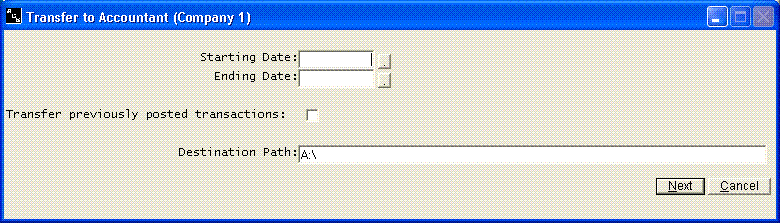
You will be asked the first day and last day to be transferred. If you transfer monthly, this would be the first and last day of the month. If you fail to enter the correct dates, part of your information will not be transferred. As you can see, it is very critical that you always enter the correct date on each transaction. If a transaction is dated in the wrong month, it will be posted in the wrong month.
Enter the Destination Path, the drive or folder where the transfer files should be copied for your accountant. If you leave the Destination Path blank and this company also uses the ACS General Ledger system on this computer, the transactions are sent directly into General Ledger instead. You can transfer your information a second time, for example if the files were lost before they were posted to the General Ledger system, by checking Transfer previously posted transactions.
You will receive a report of all transaction that are being transferred. Retain this listing in case there are ever any questions on the information that was transferred. The report will list Reference Number, Date, Payee/Description, Checks, and Deposits.