
If you have the Checkbook system, the Payroll system will transfer the payroll checks to check history in the Checkbook system. The payroll checks can then be posted to the General Ledger along with the accounts payable checks at month end after the bank has been reconciled.
The system can accrue the matching Social Security and Medicare taxes, and also the employee benefits, at the same time as the payroll checks are posted. If you wish to utilize this feature, you must enter the General Ledger Numbers for each department you have used in Payroll.
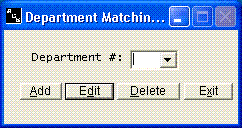
Use the Add option to add a record for each department number used in the Payroll system. In the following example for payroll department 1, you would need to enter the General Ledger Number for the expense account for payroll taxes. If you are using any of the twenty miscellaneous deductions as a benefit, that benefit will also show on this screen and you can enter the matching expense account for that liability. The General Ledger Number for the liability accounts should be entered in the company information file.
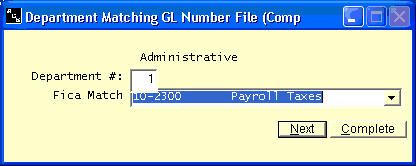
Be sure to enter one record for each department.