
The system will allow you to deposit any employee's check to any bank account or savings account. To activate the direct deposit, go to the first screen of the employees record. Use the Maintain Employee Records option to access the record. At the bottom of the first screen, you have an option for Direct Deposit. Take that option and enter the direct deposit information.
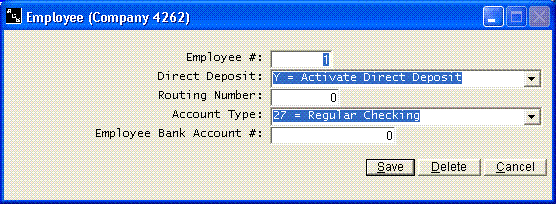
Once the direct deposit information is in an employee record, their check will be directly deposited the next time you calculate pay. Once pay is calculated, you must take the Direct Deposit menu option to create the direct deposit file than will be transmitted to your bank.
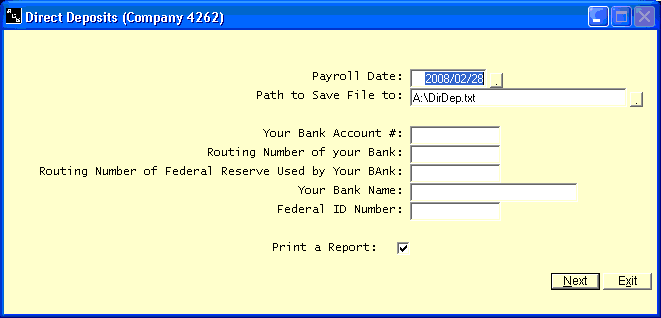
At the time you select the Direct Deposit menu option, you will be asked the date and where you want to save the file. Enter the full path and file name; the default is DirDep.txt on your Desktop. Your bank may require a specific file name, or they may not care.
The information that is asked as you select the Direct Deposit menu option pertains to your company and not the employee.
Your Bank Account Number:
This will be the right hand set of numbers at the bottom of your check.
Routing Number of Your Bank:
This will be the middle set of numbers at the bottom of your check.
Your Bank Name:
Enter the official name of your bank.
Federal Id Number:
This is your Federal ID Number. It can be found on any payroll report.